Hesabiyat · A clearer view of your business

Hesabiyat. Accounting
and business, connected.

Hesabiyat is cloud accounting software for Saudi businesses. Manage sales, POS, inventory and e-invoicing, then follow accounts, reports and your team from one place, with tools available according to your plan.

30-day money-back guarantee

Zakat, Tax and Customs Authority (ZATCA)
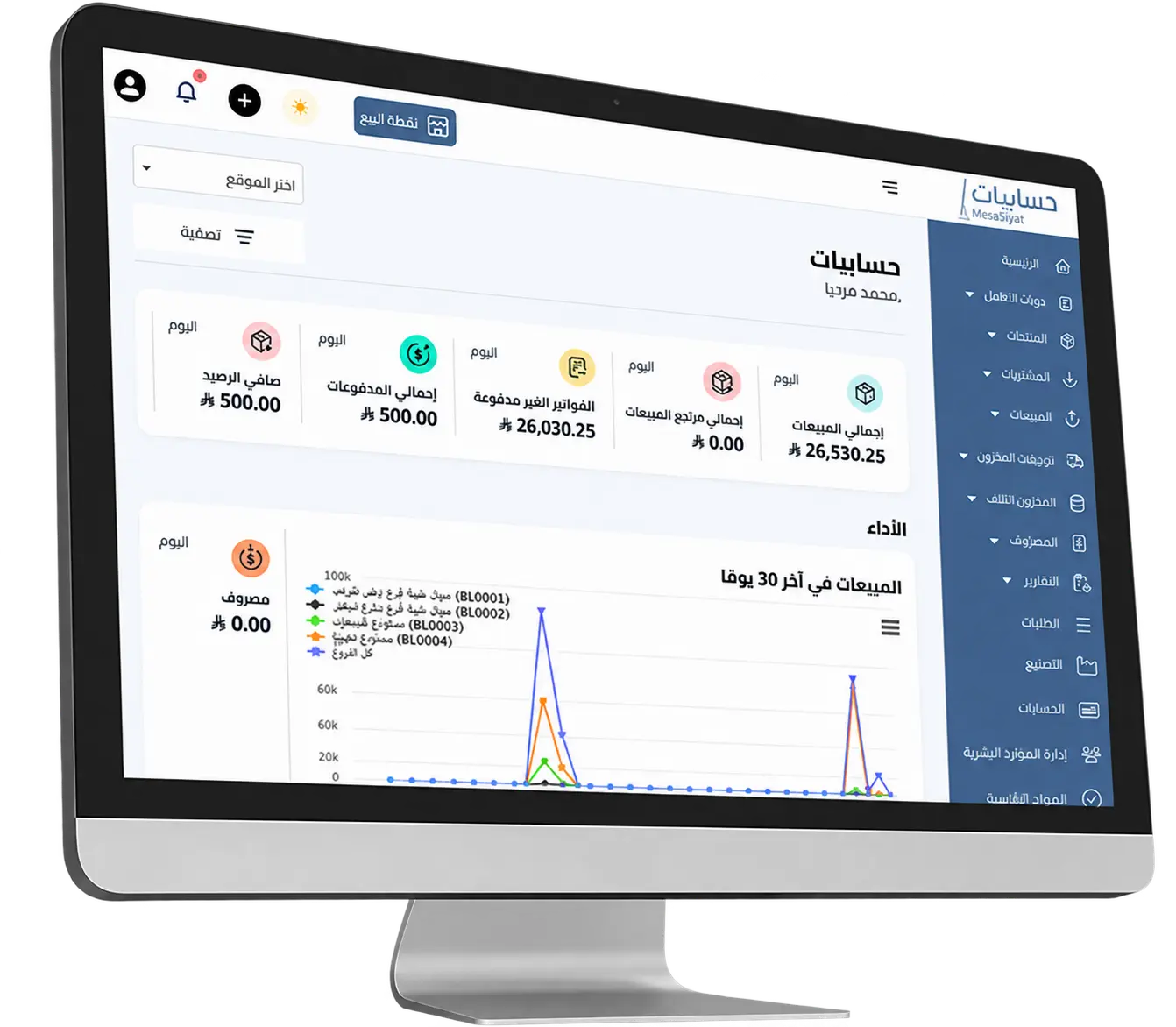
Hesabiyat dashboard for sales, inventory, and accounting
Less scattered informationA clearer way to manage
From sales to reportsYour business, connected
An actual view of the Hesabiyat system
Hesabiyat in Numbers

Businesses managed.
Trust renewed.

Customers
Active Users
Monthly Accounting Transactions
Explore What Hesabiyat Can Do

Cloud accounting software.
Sales, stock and accounts together.

Explore sales, inventory, accounting and e-invoicing tools.
Choose a module to see how it supports your daily work.

Sales & Customers

Record sales and follow customer orders.

Record transactions through your POS and keep orders, customer details and supplier contacts together. Review sales activity and find the details of each transaction when you need them.

Point of SaleSales ManagementOrder TrackingCustomers & Suppliers
Part of the Hesabiyat System
Products & Inventory

Track products, purchases and stock movements.

Organize product details and record purchases, stock transfers and damaged goods. Review stock movements to see what entered your inventory and what moved out.

Product ManagementPurchasesStock TransfersDamaged Stock
Part of the Hesabiyat System
Finance & Accounting

Bring accounts, expenses and reports together.

Manage expenses, payment accounts and accounting in one system. At the end of the day, review sales, expenses and reports to understand your business finances.

Expense ManagementPayment AccountsAccountsReports
Part of the Hesabiyat System
E-Invoicing

Manage e-invoicing and ZATCA integration.

Manage electronic invoices and follow their synchronization with the Fatoora platform after configuring your integration and business settings. Use the synchronization report to review invoice submission status.

E-InvoicingZATCA IntegrationSynchronization Report
Part of the Hesabiyat System
Restaurants & Bookings

Organize restaurant bookings and kitchen orders.

Follow bookings and orders through the restaurant and kitchen modules. Use kitchen stations to organize order tracking alongside your sales and accounts.

Booking ManagementRestaurant ManagementKitchen StationsOrders
Part of the Hesabiyat System
Manufacturing & Maintenance

Tools for manufacturing, recipes and maintenance.

Use manufacturing and production recipes or the maintenance module to suit your operations, alongside the sales, inventory and accounting tools available in your plan.

Manufacturing ManagementProduction RecipesMaintenance Module
Part of the Hesabiyat System
People & Tasks

Keep track of your team and tasks.

Organize team information in the human resources module and follow core tasks in Hesabiyat, bringing administrative work and business operations into one workspace.

HR ManagementCore Tasks
Part of the Hesabiyat System
Reports & Monitoring

Review sales and expense performance.

Review sales reports, expenses and business data from the Hesabiyat dashboard. Use the details of recorded transactions to understand results and follow daily operations.

Business ReportsSales MonitoringExpense Monitoring
Part of the Hesabiyat System
Multiple tools. One connected workflow.Available features vary by plan.

Accounting tools for your type of business

Match your accounting, sales and inventory needs to your daily workflow. Explore the tools for your industry, with features and limits depending on your plan and service setup.

Hesabiyat accounting and business management app logo
Available on iPhone and Android

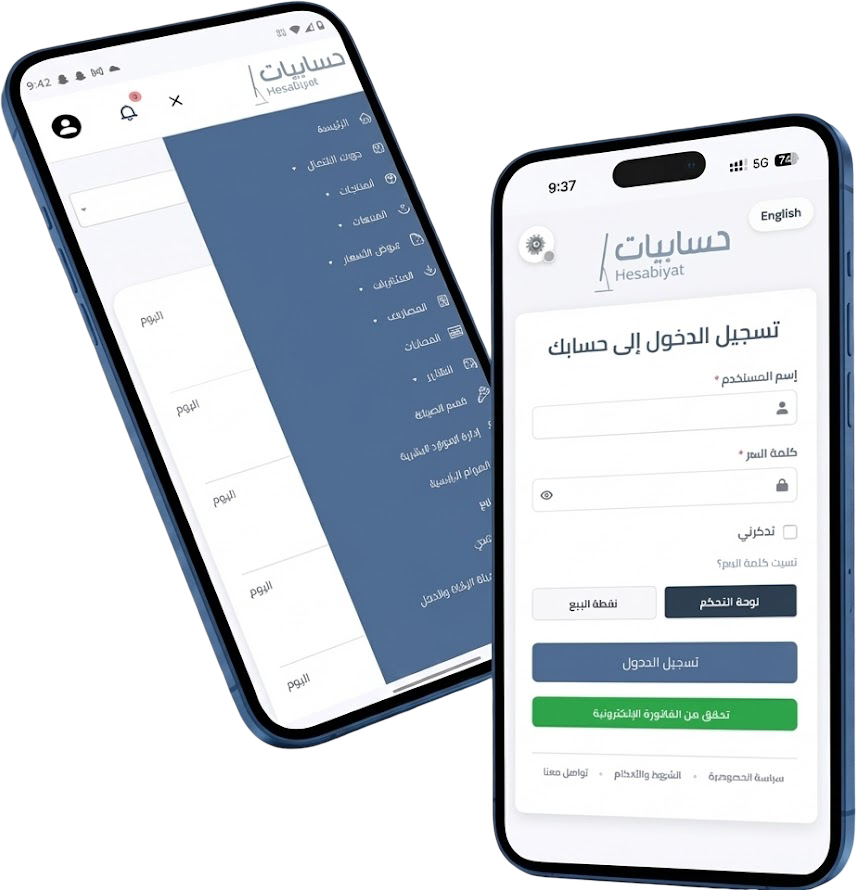
Follow sales and accounts from your phone.

Use the Hesabiyat app on iPhone and Android to follow revenue, expenses and business performance, and access POS tools from your phone.


Hesabiyat app for tracking expenses, revenue, and point of sale
Choose the Plan That Fits Your Needs

Choose the Hesabiyat plan for your business

Special Offer
Basic Plan
650
595 SAR
Per Year
  • 1 Branch – 3 Users
  • Up to 3,000 Products – Unlimited Invoices
  • Purchases, Inventory, Customers, Expenses & Reports
  • 3 POS Terminals
  • ZATCA Phase 2 Integration
  • 24/7 Technical Support
Subscribe Now
Enterprise Plan
2500 SAR
Per Year
  • All previous plan features, plus:
  • 3 Branches
  • Unlimited Users
  • Unlimited POS Terminals
  • Multi-Currency Invoices
  • Customer Relationship Management (CRM)
  • VIP Support
Subscribe Now
Custom Plan
Custom
Per Year
  • All previous plan features, plus:
  • Unlimited Branches
  • Advanced Permissions
  • API Integration Support
  • Custom Reports
  • Customizable Interface
Contact Us
Monthly plans are currently unavailable – coming soon 💡
🚫 The Hesabiyat system does not support businesses selling or serving tobacco products.
30 Day Badge

100% Money-Back Guarantee Regardless of the Reason.

You are fully protected by our 100% money-back guarantee. If you don't love Hesabiyat within the next 30 days, we will gladly refund 100% of your money. No questions asked, no conditions.

Thank you,

Signature bold

Mohammed Molham
Founder & CEO


Frequently asked questions about Hesabiyat

Does Hesabiyat support Saudi e-invoicing and ZATCA integration?

Hesabiyat supports e-invoicing and integration with the ZATCA Fatoora platform after your business settings are configured. Review your applicable integration requirements and the invoice synchronization status when setting up the service.

Can Hesabiyat work without an internet connection?

Yes, Hesabiyat can be used offline. However, to ensure proper data synchronization and avoid losing any updates, it's recommended to sync the software with the cloud system every 12 hours. This allows you to continue working during offline periods while maintaining accurate and reliable updates.

Can I manage daily journal entries and customize the chart of accounts?

Absolutely! You’re fully in control. The software offers:

  • A flexible chart of accounts tailored to your business activity

  • The ability to set up daily, weekly, or monthly journal entries

  • Unlimited sub-accounts within a single branch

How can I ensure a smooth transition from my old system to Hesabiyat?

No worries — our team is here to handle it for you! We offer:

  • Automatic data import (inventory, customers, invoices)

  • Free technical support during the migration process

  • A trial version to test your data before going live

Can I subscribe monthly instead of annually?

Currently, we offer annual subscriptions only. This ensures stable service and continuous support, helping you manage your store efficiently without interruptions.

Are updates free?

Yes, all updates are provided automatically and free of charge to all subscribers, ensuring you always get the latest features and improvements at no extra cost.

Does inclusion in the ZATCA provider directory mean official approval?

ZATCA states that its solution-provider directory is indicative and does not constitute approval of the listed technical solutions. When choosing software, check that your invoicing setup meets the requirements applicable to your business. Read the official ZATCA explanation.