

Hesabiyat features
Explore the sales, inventory, accounting and e-invoicing tools that bring your day-to-day business operations together.
Explore the system
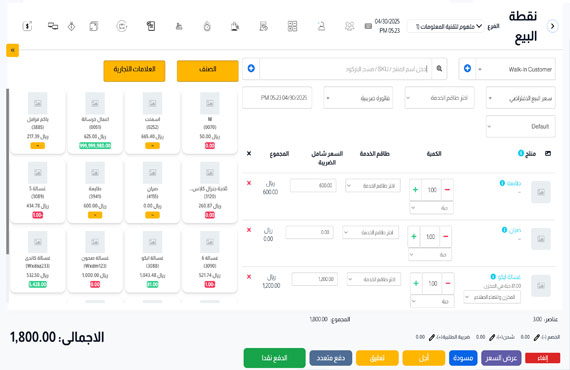
8 categoriesSales & point of sale
Manage sales and customer orders in one interface, with payments and invoices connected to your everyday workflow.
- Point of sale and sales management
- Orders, customers, and suppliers
- Invoices you can share with customers
View the interface
Products & inventory
Track products, purchases and stock movements between locations, and connect inventory with your sales activity.
- Product and purchase management
- Stock transfers between locations
- Damaged stock and product movements
Finance & accounting
Organize expenses, payment accounts and journal entries, then review balances and financial reports in the same system.
- Expenses and payment accounts
- Journal entries and chart of accounts
- Balances and financial reports
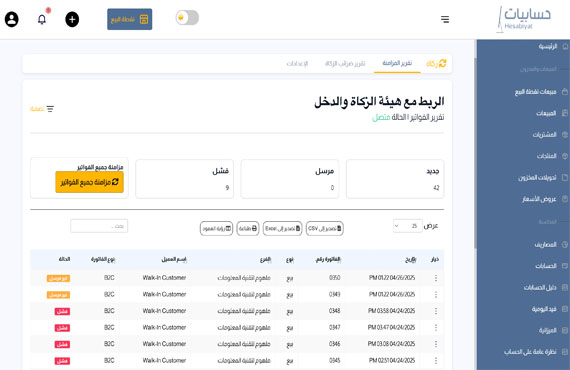
Electronic invoicing
Issue electronic invoices and track their synchronization with ZATCA once your business connection is configured.
- Support for phases one and two
- ZATCA integration after business setup
- Invoice status and synchronization reports
View the interface
Restaurants & bookings
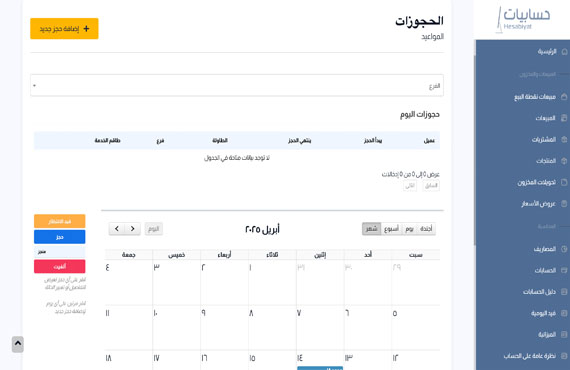
Organize table reservations, orders and kitchen stations, and keep track of service from one place.
- Table bookings and reservation status
- Restaurant and order management
- Kitchen stations
View the interface
Manufacturing & repairs
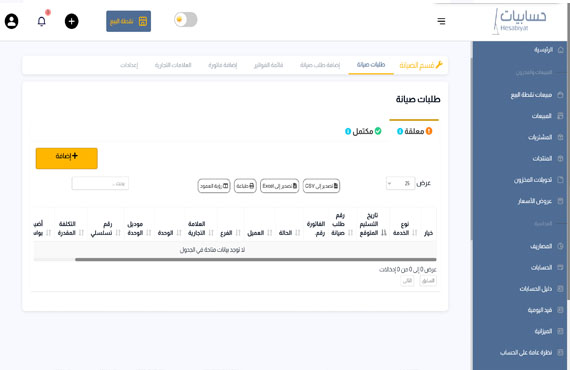
Manage production recipes, maintenance requests and repair stages alongside sales, inventory and accounting.
- Manufacturing and production recipes
- Repair jobs and service stages
- Job notes and spare parts used
View the interface
People & tasks
Follow HR and administrative tasks, with user access organized according to the features in your plan.
- Human resources management
- Core task tracking
- User access options depending on plan
Reports & monitoring
Review sales, inventory, expenses and financial results, and use your business data to monitor performance.
- Sales and inventory reports
- Expense and financial follow-up
- Business data in your dashboard
Available features depend on your plan and service setup. Compare plans
Integrations and customer communication
Connect your online store and share invoices and notifications through supported channels.
Connect with WooCommerce
Connect your WooCommerce store to Hesabiyat according to setup requirements and the features included in your plan.
Share invoices and notifications
Share invoices, service notifications and booking reminders via WhatsApp and SMS after configuring the appropriate messaging services.
Manage your business on mobile
Follow revenue, expenses and business performance, and use available POS tools with the Hesabiyat app for iPhone and Android.


Tools for your type of business
Questions about the features
A few details to help you choose your plan.
Are all features included in every plan?
Features and the number of branches, users, and POS terminals vary by plan. Compare the pricing options, or speak to our team to match your requirements with the right plan.
Does Hesabiyat support e-invoicing in Saudi Arabia?
Yes. Hesabiyat supports electronic invoicing and ZATCA integration. Business setup and integration requirements are reviewed when configuring the service.
Can I access my business from a computer and phone?
Yes. The cloud system works across devices, with a Hesabiyat app on iPhone and Android for business follow-up and the available tools.
Find the right plan for your business
Compare the features in each plan, or contact our team for help choosing.